Please follow the steps given below to install Rediffmail Professional App on your Android device.
STEP 1
Go to Google Playstore & type Rediffmail Professional, result will be seen below. Click on Install.

Note: You might get another app named “Rediffmail” only in the playstore, kindly do not download & install that app. You need to download “Rediffmail Professional” app
STEP 2
Once the app is installed, it will ask you to accept the Terms & Conditions, kindly click on ACCEPT

STEP 3
After you accept, you will see the screen to give your email address, kindly give your complete address as seen below & click on Proceed.

STEP 4
Mention the password of your account, click Sign in

STEP 5
Once the login details given are correct, then you be logged in & see the mails as seen below.

STEP 6
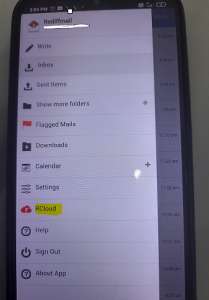
You can go to settings or folder view by clicking the == Icon on the top left side.

STEP 7
You can see more folders by clicking on “Show more folders”

STEP 8
You can navigate to Rcloud by clicking on by clicking the == Icon on the top left side.